Tuesday, 3 December 2013

Meizu MX4G to feature 5.5-inch, 2560×1536 display

Meizu Store
Meizu has always been an ambitious company, releasing surprisingly high-end smartphones for fairly low prices in China. The latest device, the Meizu MX3, was a powerhouse with an Exynos Octa processor. The MX3 was just released in late September, but Meizu is already talking about its successor just two months later.
Jack Wong, Meizu CEO, announced one of the features of the next device, called the Meizu MX4G. The device will feature a 5.5-inch screen like the Samsung Galaxy Note 3, but with a resolution of 2560×1536. That’s over 540 pixels per inch, which is an incredibly dense panel. They better make it beautiful!
Obviously, such a panel will have many drawbacks. Power consumption must be really high when boosting the resolution by that much. Plus, the GPU will need to be quite strong to display content at that resolution. Because this device won’t come out until late next year, it will be using something next gen so that shouldn’t be an issue.
But my biggest concern is that people won’t be able to tell the difference between 1080p and 1536p. It’s already very difficult to see individual pixels in displays when you try, but during normal viewing habits, I don’t know what kind of difference it will make. Will it be worth the downsides? We’ll see. But I’m still excited for technological innovation. Do you want a phone with a 2560×1536 display?
Source: CtechCN (translated)

Building the perfect Nexus phone: price


nexus-price
Black Friday is definitely the perfect day to finish up our building the perfect Nexus phone series – especially since today we’re talking about price. We’ve gone over all the main specs and features that you might want to see in the perfect Nexus phone, but we all know that having a phone with the best features would most likely come with a premium price.
Originally, Nexus phones were priced the same as any other flagship Android device. But that changed in 2012 when Google started selling its Nexus devices at or below cost. While the Nexus 5 may not be the very best Android phone on the market, we’re sure LG wouldn’t have any issues selling the phone for $250 more than what Google is asking for it. While none of us really want to pay more than we have to for a new phone, I’m sure there are plenty of Nexus fans who would be willing to part with more than $350 for a base level Nexus phone if the device was truly better than any other phone on the market.
How much would you be willing to pay for a Nexus phone which completely blows away the competition?
How much would you pay for the perfect Nexus phone?

Top Android apps from last week: App Ops, Spendee, Flipagram


Android_apps_design
Every week we cover new Android apps with Fresh Meat on Wednesday, followed by Android Gaming on Thursday and Top 10 app updates on Friday. On Mondays we look back to see which ones were the most crowd-pleasing among our audience. Read on for the 10 most popular Android apps among your peers from last week.

1. App Ops 4.3/4.4 KitKat

App Ops
App info: Use this app to control permissions on a per app basis.

2. Spendee

Spendee
App info: Spendee is a beautiful app to manage your personal spending.

3. Sonic Dash

Sonic Dash
App info: Sega brings us a new Sonic endless runner game in Sonic Dash.

4. Branches for Twitter

Branches for Twitter
App info: A unique Twitter client that groups tweets by author.

5. Q4 Keyboard

Q4 Keyboard
App info: Q4 Keyboard introduces a unique floating color QWERTY keyboard that can be reduced to 4 keys for increased typing performance. Q4 predicts what you want to type and will learn how YOU type to develop your personal dictionary.

6. SOULCALIBUR

SoulCalibur
App info: SOULCALIBUR is a classic 3D fighting game from the ’90s.

7. Student Budget

Student Budget
App info: Students can easily manage their finances using this new app. Set up a weekly balance to make sure you have enough money for the week.

8. Courses123

Courses123
App info: If you are looking to learn a new language this is a great app to assist in that process. Languages included are: English, Spanish, German, Italian, and French.

9. Flipagram

Flipagram
App info: Take your Instagram photos and create a unique video story.

10. 500 Firepaper

500 Firepaper
App info: 500 Firepaper is a live wallpaper showing popular images from 500px.
Note:  To ensure apps receive a fair chance to make the list, we will retire any app that has made the list for 3 consecutive weeks and will place it in our Android and Me App Hall of Fame. We will post this Hall of

Samsung rumored to release a Galaxy Note 3 Lite next year at MWC

Samsung
So far, Samsung’s Galaxy Note series of devices has been purely high-end. The smartphones have been cutting edge, using some of the newest technology and often outclassing the Galaxy S line. This meant that those who didn’t care for specs or didn’t have the money for a really expensive phone couldn’t have a taste of that wonderful S Pen technology. But that may change early next year.
SamMobile claims they have confirmed the existence of the Galaxy Note 3 Lite SM-N7505, which should be unveiled at MWC 2014 in February. Though none of the specs are known, it may have an LCD display instead of the Super AMOLED and feature a lower end processor and an 8MP camera, like older rumors suggested. Fortunately, it shouldn’t be smaller than 5.5-inches.
This will finally bring S Pen goodness and a large phone to those who can’t afford a full-sized Note, which is great. Hopefully it will come to the US, and maybe a carrier will pick it up a bit late like they do with the Galaxy S mini devices. Would you buy a Galaxy Note 3 Lite, or should the Note line stay exclusively high-end?
Source: SamMobile

BenQ releases two budget phones, surprisingly not that bad

BenQ F3 A3
I don’t know how many people recognize the name BenQ. Here in the US, the brand is synonymous with budget and cheap, despite being popular in other parts of the world. Really, most of us have never heard of BenQ making any sort of smartphones. But they have released two brand new smartphones in Taiwan that are budget focused, but not really that bad.
The higher end model is the BenQ F3, which comes with a 4.5-inch qHD display, 1.2GHz quad core MediaTek MT6589 processor, 1GB of RAM, 4GB of storage with a microSD slot, a 13MP f/2.2 camera with zero shutter lag, and a 2,100 mAh battery. It runs Android 4.2.2, which isn’t too old. The lower end model, the A3, has the same specs aside from the 1.2GHz quad core Snapdragon S4 Play processor, a 2,000 mAh battery, and an 8MP camera, along with Android 4.1.2 in tow. Yes, 4.1.
These seem like quite weak specs, especially the low end qHD display, but the prices are pretty reasonable. The higher end F3 goes for $270, while the lower end A3 goes for $200 in Taiwan. The prices may not be Moto G low, but they’re still low enough to catch some customers in BenQ’s home country. However, it’s doubtful that we’ll see these devices in the US. Tell us what you think!
Via: Engadget
Source: BenQ F3, BenQ A3

Motorola to retry Moto X promotion following Moto Maker site issues

Moto X Moto Maker
Did you try to take advantage of Motorola’s $150 Moto X discount today, only to be met with site issues and disappointment? You’re not alone, friend, but I’ve got some bright news that ought to end your Cyber Monday with a smile. Motorola has announced that it will retry its Moto X offer again at 12:00 p.m. ET this Wednesday, Dec. 4, and then again on Monday, Dec. 9. The company says that it also plans to double the amount of devices available in order to meet demand.
In case you missed the original announcement, Motorola’s promo knocked $150 off the price of any no contract Moto X, including units customized through Moto Maker. Apparently the Moto Maker website wasn’t quite prepared for the rush of smartphone-hungry Cyber Monday shoppers, though, and so many folks are ending the day without a Moto X to call their own. The good news is that Motorola will be running its promo again two more times in the next week to make up for the problems, giving today’s would-be buyers second and third cracks at the sale. Here’s to hoping that the only thing on Motorola’s agenda for tomorrow is to reinforce the Moto Maker site.
Did you try to buy a discounted Moto X today? If so, were you able to get an order through?
Source: @Motorola (1), (2), (3)


Tuesday, 22 October 2013

Remember Those Awesome Android Propaganda Posters From Andrew Bell? Cruzerlite Turned Them Into Nexus 7 Cases

Back in July of this year, we gave four sets of amazing Android Progress Administration Propaganda Prints from Andrew Bell. These throwback-style posters are stylistically designed to replicate those from the 30s and 40s, and they look fantastic.
1
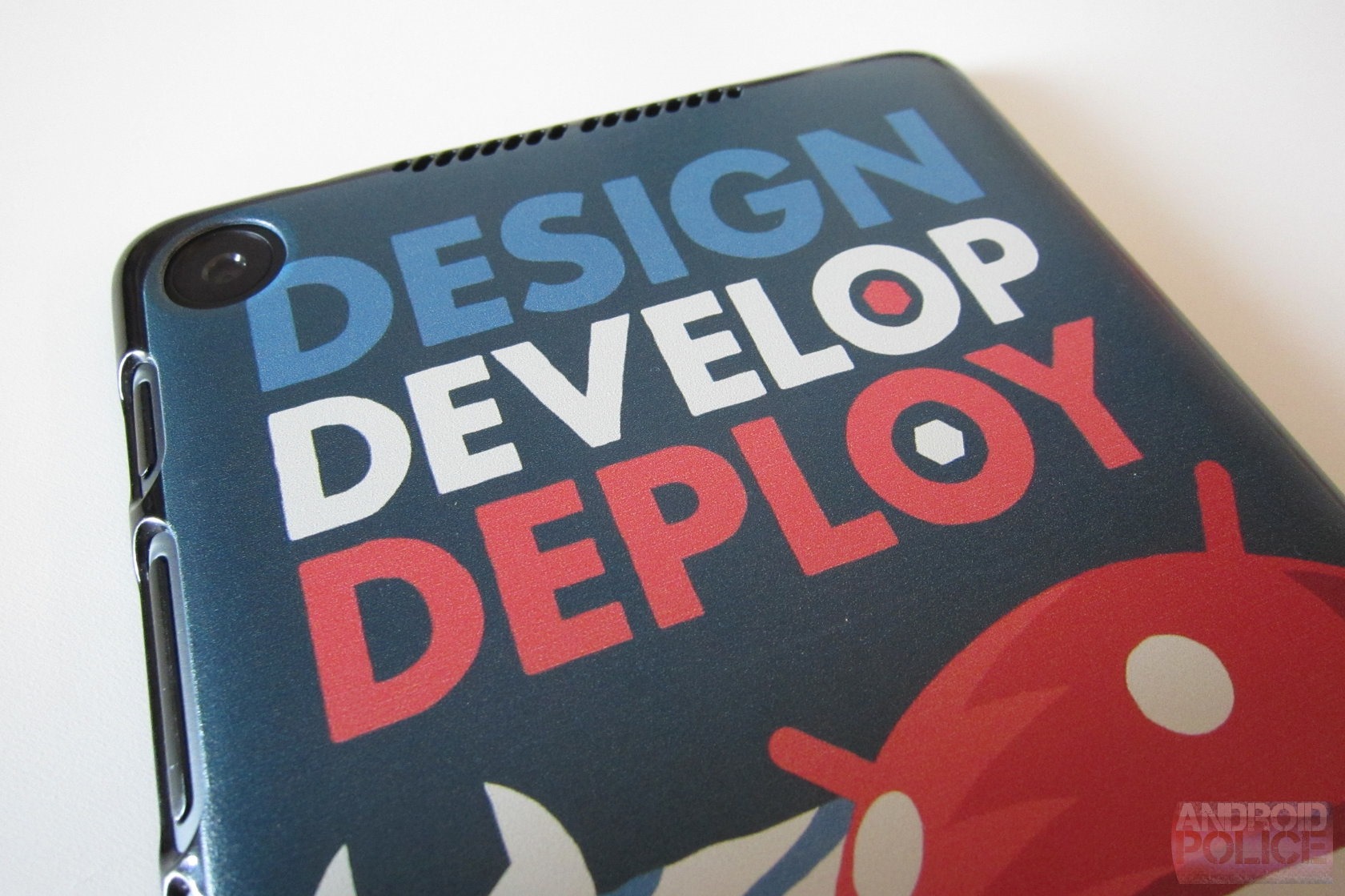
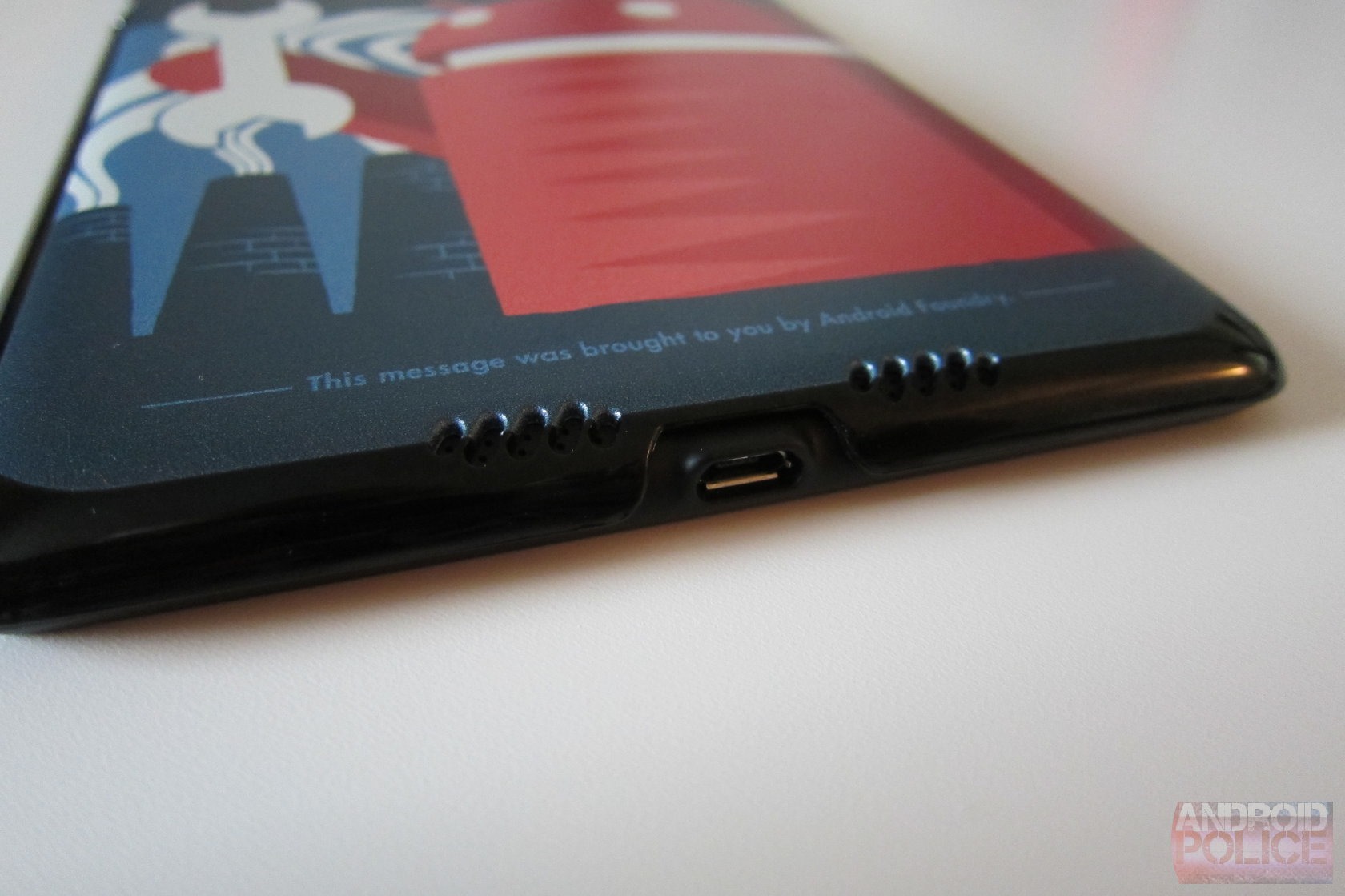
Fast-forward to now and Bell has teamed up with Cruzerlite to bring some of this killer artwork to cases designed for the Nexus 7. I was able to get my hands on a couple back at the Big Android BBQ and, to put it simply, these are some of the best-looking cases I've ever seen. Of course, that's precisely what they're for: looks. They may do a little to keep your beloved tablet safe in the event of a spill, but don't expect a lot – these are definitely made to just add a little flare and style to the N7.
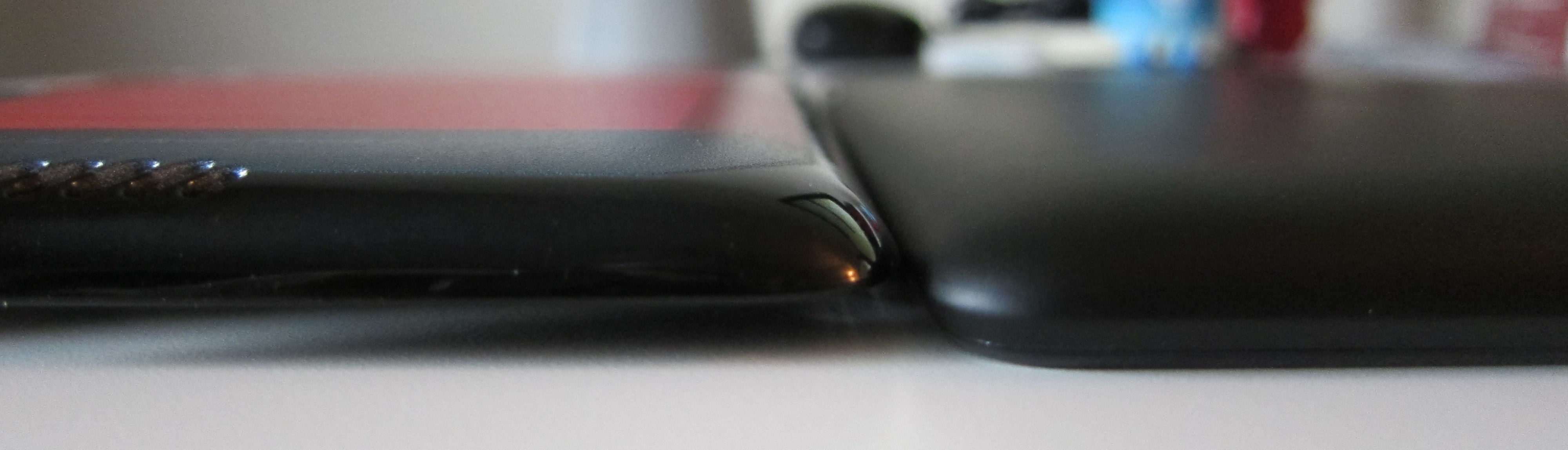
Those who love the N7's thin profile will really enjoy these cases, as they are incredibly thin and don't really add a lot of bulk or weight to the tablet. The top and bottom are essentially "open," and just subtly curve around half of both ends. The sides are what really hold the case on the tablet, as they curve around to where the bezel meets the back. It's all very subtle and actually kind of hard to tell there's even a case on the device from the front or side view.
wm_IMG_3850
wm_IMG_3844 wm_IMG_3845 wm_IMG_3842 wm_IMG_3843
The real allure here, however, is the back; this is of course where you'll find Bell's handiwork. The two designs available – Design, Develop, Deploy and Code for Victory – are subtly different than their poster-based counterparts, mostly in text placement. The text on both has been moved to the top, which does look better for a case design. Otherwise, they're exact likenesses of the posters, which makes for a really nice aesthetic on on the Nexus 7 – most cases just don't offer this sort of visual appeal.
IMG_3849_
Naturally, the case has cutouts in all the appropriate places: power, volume rocker, microUSB, speakers, camera, and headphone jack. The overall design and quality of the case feels really nice, despite the fact that's incredibly thin. It's worth noting that it's not too thin – it does have some substance to it. But like I said, it's good for looks and avoiding scratches, but that's about it. Since I generally run my devices naked, this case is pretty perfect for me. And man they look so good – I'm kind of in love with them at this point.
These cases just hit the Cruzerlite site today for $29.90 a piece. I have a feeling stock won't last long, so hit the respective link below to snag one for yourself. Looks like I spoke too soon – stock isn't showing up just yet. Both cases should be available shortly.
Code for Victory
Design, Develop, Deploy

Monday, 21 October 2013

[New Game] Namco Takes Air Combat Intergalactic With Sky Gamblers: Air Supremacy


Android Police - Android News, Apps, Games, Phones, Tablets
Looking after everything Android
[New Game] Namco Takes Air Combat Intergalactic With Sky Gamblers: Air Supremacy
Monday, October 21, 2013 7:47 AM

unnamed (6)Namco-Bandai released Sky Gamblers: Rise Of Glory more than a year ago, and the WWI 3D air combat game was well-received. The sequel takes the setting to the near future with a mix of modern fighter jets and alien invaders. Sky Gamblers: Air Supremacy is definitely one of the most graphically-intensive entries in the admittedly small niche, and the loose arcade style is well-suited to touch controls.

The game isn't quite as sci-fi as the trailer on the Play Store suggests: when Air Supremacy launched on iOS 18 months ago (sigh), its primary campaign had you facing off against conventional air and ground targets.

Done With This Post? You Might Also Like These:

    Namco's Sky Gamblers: Rise Of Glory Leaves The Sony-Only Hangar For Bluer Android Skies
    Board Game Tigris & Euphrates Comes To Android With Hot Seat Multiplayer, Because Two Rivers Are Better Than One
    [New Game] Magic 2014 Brings 1.2GB Of Very Pretty Cards To Your Android Device
    [New Game] The Respawnables Exits Limited Beta, Brings Free Multiplayer Shooting To The Play Store

[New Game] Namco Takes Air Combat Intergalactic With Sky Gamblers: Air Supremacy was written by the awesome team at Android Police.


AT&T And Verizon Versions Of The One Max Press Images Leaked, With Annoying Carrier Logos Where HTC's Should Be
Monday, October 21, 2013 6:55 AM

t6attAs if you needed any convincing, EVleaks has once again demonstrated that he's some kind of wizard at finding and disseminating press shots of upcoming phones. This weekend's leaks include HTC's shiny new One max [sic] in both AT&T and Verizon flavors, posted to EVleaks' Google+ account. We'd heard about a Verizon version from HTC at launch, but the AT&T model is new, if not unexpected.

t6att onemaxvzw

You'll note a common theme among these plus-sized phones: carrier logos swapped out for HTC's customary logo between the back and home buttons on the One family.

Done With This Post? You Might Also Like These:

    HTC One Max Breaks Cover With Verizon Branding, Already Being Demoed For Sales Reps
    Samsung Galaxy S III Mini For AT&T Leaked, Three Months After Anyone Would Have Cared
    Verizon May Have Come to Its Senses: The Galaxy Note 3 Has No Home Button Logo
    Home Button Branding Isn't Dead Yet: Evleaks Reveals The Galaxy S4 Mini For Verizon

AT&T And Verizon Versions Of The One Max Press Images Leaked, With Annoying Carrier Logos Where HTC's Should Be was written by the awesome team at Android Police.


[The Android Police Podcast] Episode 82: Foiled By The G Flex
Monday, October 21, 2013 4:58 AM

AP_AlbumArt_Final

Welcome back to another week of the Android Police Podcast. To catch us live on Hangouts On Air every Thursday at 5PM PST (subject to change as per the calendar widget below), just head over to androidpolice.com/podcast. For the unedited video show, click here.

The Cast:

    Matthew Smith: Host
    Bob Severns: A/V, editing, and soundboard
    Cameron Summerson: Co-host
    David Ruddock: Co-host
    Liam Spradlin: Co-host

Subscribe to the Android Police Podcast:

    Android Police Podcast RSS Feed RSS Feed
    Android Police Podcast iTunes iTunes
    Android Police Podcast on Stitcher Radio Stitcher Radio

<div class=clear></div> <a href="http://www.androidpolice.com/2013/10/20/the-android-police-podcast-episode-82-foiled-by-the-g-flex/" class="read_more"><div class=excerpt-end><img src=http://www.androidpolice.com/wp-content/themes/ap1/images/read_on.png /></div></a>
Done With This Post? You Might Also Like These:

    [The Android Police Podcast] Episode 80: Crying Snot For Me
    [The Android Police Podcast] Episode 79: Motox, Vu, And BBQ
    [The Android Police Podcast] Episode 81: Wonkadoodle
    [The Android Police Podcast] Episode 77: Hulk The Hogan Pie Smash

[The Android Police Podcast] Episode 82: Foiled By The G Flex was written by the awesome team at Android Police.


[Weekend Poll] Nexus 5, White Or Black?
Monday, October 21, 2013 4:51 AM

nexusae0_realwhite

Another poll about colors? Yep. Our own Liam Spradlin mocked up what a white Nexus 5 might look like after some pretty likely bogus images of such a device appeared on the web late last week. Here's a more realistic representation of what each will probably look like.

black blackwhite

White phones do tend to get a bit dingy and yellowed / grayed over time, but there's something about the N5 whited-out that really appeals to me.

Done With This Post? You Might Also Like These:

    Follow Android Police (And Your Favorite Writers) On Facebook, Google+, Twitter, And Now App.Net!
    [Weekend Poll] Based On The New Leaks, Is Android 4.4 A Visual Improvement Over 4.3?
    [Weekend Poll] What Is Your Preferred Tablet Screen Size?
    [Weekend Poll] Did You Buy A Google Play Edition Galaxy S4 Or HTC One?

[Weekend Poll] Nexus 5, White Or Black? was written by the awesome team at Android Police.


[Rumor Smash] This Is Absolutely Not An All-White Nexus 5
Monday, October 21, 2013 2:23 AM

Untitled-8

On the evening of the 18th, Chinese tech site CtechCN began the circulation of an image representing an all-white variant of the Nexus 5, with the accompanying story that, according to a tipster, the white variant could be launched simultaneously with the black version, and presumably the version we've already seen with a white back and black front.

Nexus-5-White

Tantalizing, right? The first issue with this image is the lighting. The highlights are all toward the bottom.

Done With This Post? You Might Also Like These:

    Exclusive: Press Images Of The White Nexus 4 (LG E960W) Leak Out
    Samsung Galaxy S II Skyrocket Gets A White Coat Of Paint Just Before The Holidays, Available On December 4th
    Photo Of White Nexus 4 Pops Up - Is It The Real Thing?
    White Nexus 4 Now On The US Play Store, Comes With Free Bumper (Black Models Now Come With Bumpers, Too)

[Rumor Smash] This Is Absolutely Not An All-White Nexus 5 was written by the awesome team at Android Police.


Native Screen Recording With Audio, Touch Indicator, Quick Access Headed To CyanogenMod Nightlies Soon
Sunday, October 20, 2013 3:34 AM

image

In stock Android, capturing a screenshot from your device is as easy as pressing the Power button and the Volume Down button simultaneously. Recording video from the device's screen however can be a little trickier.

Looking, as always, to enhance the stock Android experience with awesome new touches, the CyanogenMod team (specifically Koushik Dutta) is working on integrating screen recording through an easy Volume Up + Power combination.

With that simple key combination, users will be able to record their device's screen, with audio and touch indicators thrown in for added utility.

Done With This Post? You Might Also Like These:

    Koush Works Around Chromecast Developer Whitelist: AirCast Beta APK Available Now For Drive And Dropbox Streaming
    Koush Demonstrates Streaming To Chromecast With Any Media App On CyanogenMod
    CyanogenMod Merges Voice Plus, Allows 3rd-Party SMS Apps To Send Messages Through Google Voice
    CyanogenMod's Next Big Feature Could Be Secure Device-To-Device Push Messaging

Native Screen Recording With Audio, Touch Indicator, Quick Access Headed To CyanogenMod Nightlies Soon was written by the awesome team at Android Police.


[Quick Tip] Experimental 'Accessibility Tab Switcher' In Chrome Beta Makes Tab Switching Compact, Pressure-Free
Sunday, October 20, 2013 2:56 AM

unnamed

If you're a Chrome Beta user who was getting bored with their weekend web browsing, we've got a tip for you - Chrome Beta for Android has an experimental "Accessibility Tab Switcher" flag that'll allow you to switch tabs in a compact, pleasing interface, also enabling you to bring back closed tabs with a handy "undo" button. That should take a little pressure out of your tab management experience.

wm_Screenshot_2013-10-19-10-45-23 wm_Screenshot_2013-10-19-10-44-53 wm_Screenshot_2013-10-19-10-47-27 wm_Screenshot_2013-10-19-10-48-38

To turn the Accessibility Tab Switcher on, just open up Chrome Beta and head to chrome://flags.

Done With This Post? You Might Also Like These:

    Here's How To Enable A Brand New, Totally Different New Tab Page UI In Chrome Beta For Android
    Tip: Chrome 29 Beta Now Has A Flag For 'Draggable Menu' – Lets You Access Menu Options With One Motion
    Newest Chrome Beta For Android Includes Experimental SPDY Data Compression Proxy For Faster Browsing
    Chrome Beta Updated, Adds Support For chrome://flags

[Quick Tip] Experimental 'Accessibility Tab Switcher' In Chrome Beta Makes Tab Switching Compact, Pressure-Free was written by the awesome team at Android Police.


Free VOIP Calls Now Available On The iOS Version Of Google Voice, Android Update Is Up In The Air
Saturday, October 19, 2013 7:49 AM

unnamed (25)Update: Vic Gundotra, Google's SVP of Engineering, had this to say after posting on Google+ about the new Voice update:

    Guys, don't worry. We have massive investment in Android. I promise you will be happy soon. Don't get upset because we show some love to Google users who use iOS. There are a lot of them. And they are good people :-)

So chill out: it looks like VOIP for Voice is coming to Android sooner or later.

Done With This Post? You Might Also Like These:

    Here's How To Enable The New Hangouts In Gmail, But Only If You're Ready To Lose Phone Dialing
    Outgoing Calls Coming 'Soon' To Hangouts, Better Voice Integration Is Also On Its Way
    PSA: Phone Calls Are Returning To Gmail, Also Integrated With Google+ And The Chrome Extension
    Google Voice Calls To The U.S. And Canada To Remain Free Until The End Of 2012

Free VOIP Calls Now Available On The iOS Version Of Google Voice, Android Update Is Up In The Air was written by the awesome team at Android Police.


[APK Teardown] Play Store 4.4 Suggests Google Is Getting Ready To Release Google Play Newsstand
Saturday, October 19, 2013 4:21 AM

magazinesEarlier this week, we posted the first look at the upcoming Android Play Store app v4.4. As it turns out, besides sporting a new look and a secret message to the teardown team, the updated Play Store is strongly hinting at another new arrival - one we've been waiting for since March. And now we have the updated name for it - Google Play Newsstand.
March 2013: Google Play News

But first, allow me to refresh your memory.

Done With This Post? You Might Also Like These:

    Google Is Gearing Up To Finally Introduce Play Store Gift Cards And A Wishlist [APK Teardown]
    Download: Latest Google Play Store 4.2.3
    Dan Brown's 'The Da Vinci Code' Book Available For Free From The Play Store For A Limited Time, With An Excerpt From The Upcoming 'Inferno'
    [APK Teardown] The Play Store Is Getting A Built-In Malware Scanner, Wish List Progress, And More

[APK Teardown] Play Store 4.4 Suggests Google Is Getting Ready To Release Google Play Newsstand was written by the awesome team at Android Police.


Lenovo Debuts Its First Android Laptop, The Convertible And Affordable Lenovo A10
Saturday, October 19, 2013 12:45 AM

LenovoA10-2When people think of laptops, Android isn't the first operating system that comes to mind, but the number of options continue to grow. The Asus Transformer series showed that a tablet and a keyboard packaged together nicely could prove to be more appealing than a netbook, and the more recent HP Slatebook x2 managed to feel more like a laptop and less like a tablet. Now Lenovo is ready to do its competitors one better by debuting an Android laptop that is more than a tablet packaged with a nice keyboard dock - the Lenovo A10, a convertible 10.1-inch laptop running Android 4.2.

Done With This Post? You Might Also Like These:

    Lenovo's Honeycomb-Powered ThinkPad Tablet Leaked, Set For Release This Summer
    Lenovo's IdeaPad U1 Hybrid With LePad Spotted; Rocks Android 2.2
    [CES 2012] Lenovo's X1 Hybrid Laptop Crams Customized Gingerbread Next To Windows, Calls It "Instant Media Mode"
    Lenovo Plans Android Tablet To Compete With iPad In China

Lenovo Debuts Its First Android Laptop, The Convertible And Affordable Lenovo A10 was written by the awesome team at Android Police.


Sunday, 20 October 2013

[Rumor Smash] This Is Absolutely Not An All-White Nexus 5

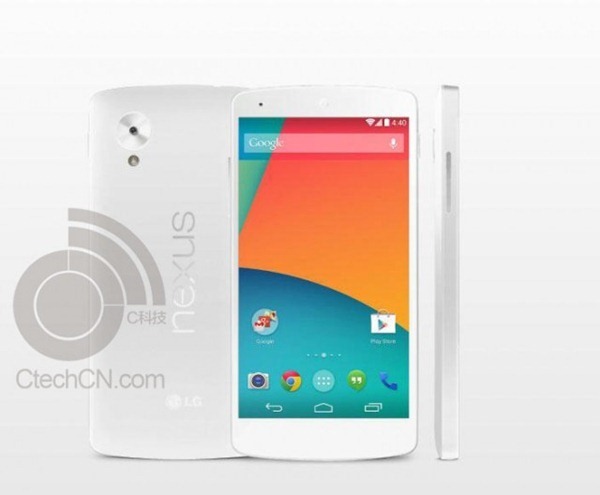
On the evening of the 18th, Chinese tech site CtechCN began the circulation of an image representing an all-white variant of the Nexus 5, with the accompanying story that, according to a tipster, the white variant could be launched simultaneously with the black version, and presumably the version we've already seen with a white back and black front.
Nexus-5-White
Tantalizing, right? The first issue with this image is the lighting. The highlights are all toward the bottom. I'm struggling to think of an instance where a new product was presented in press shots lit from below.
Noticing this lead me to check on specific highlight patterns on reflective portions of the device - namely the camera ring, Nexus logo, and volume rocker. As you may expect, each of these on the "white Nexus 5" is exactly opposite its counterpart in the original black render. So what we have above is essentially a render with inverted colors (save for the cameras, flash, and display), and slight tone adjustments. To demonstrate just how straight-forward this process is, here's a quick .gif.
faken5
While we're at it, here are a couple more options just for fun:
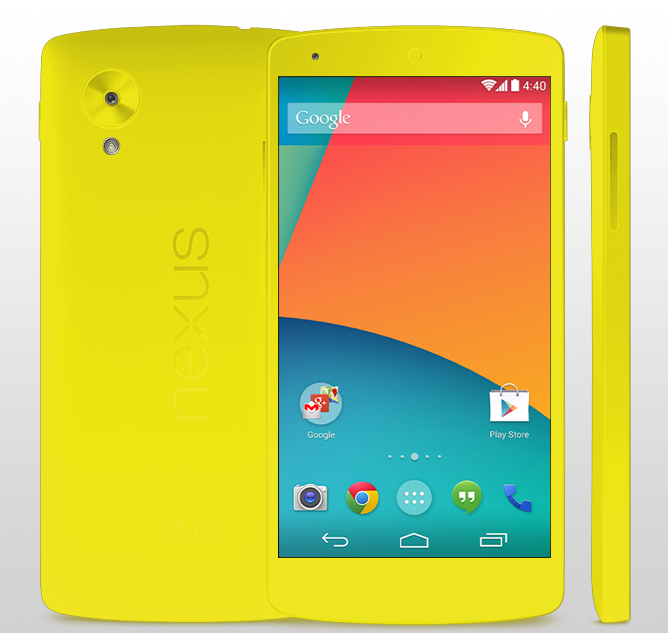
1148-38795-95oTpRX7ggWmBOq-upload 1148-38795-t6OwmKA76Z20ofZ-upload blue green
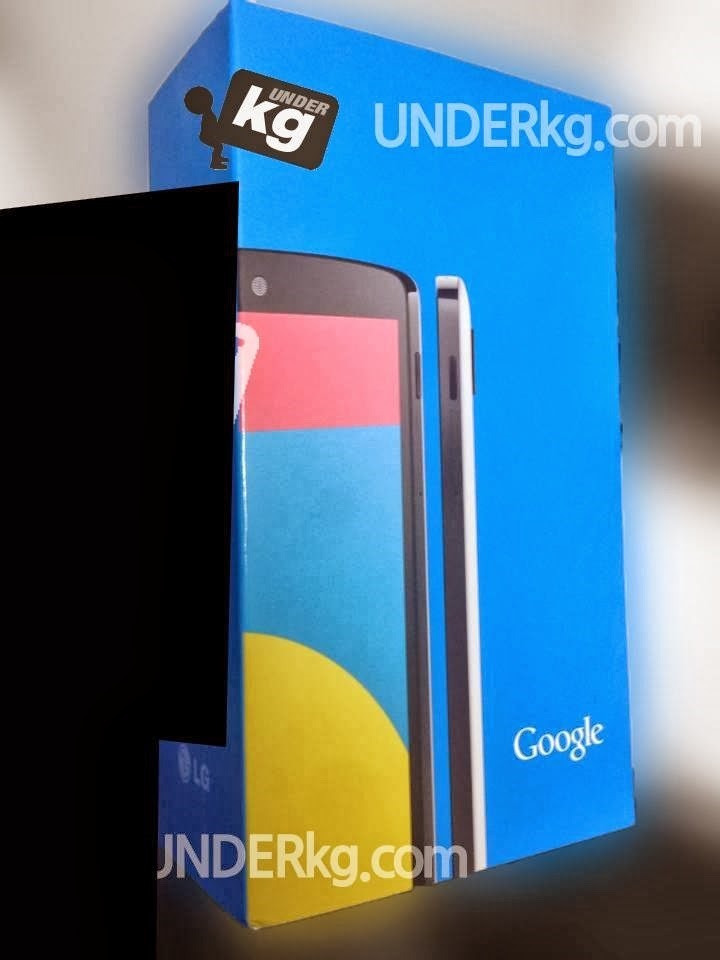
No one with their hand on the pulse of Nexus season mania has likely forgotten about the leaked retail packaging we saw, which depicts a Nexus 5 with a black front, white rear, and black camera ring. Nor have readers likely forgotten the other leaked image that showed us a sliver of the white-backed N5. It's much more likely that this is the white variant we'll see released, though when it'll be released is still anyone's guess.
nexusae0_1390627_599747473420998_1015783506_n1 1148-38795-fgVFgcb3jsfTDIB-upload
It's also worth noting that the source, CtechCN, is in Chinese, and machine translation can only go so far in telling us the intent of this image. The original article does mention "PS" (presumably meaning PhotoShop), but presents the idea that an all-white Nexus 5 will, according to their tipster, launch simultaneously with the standard black version. All we can conclude is that this image is in fact not official. For now, those wanting an all-white Nexus can only continue to dream.
Source: CtechCN

Saturday, 19 October 2013

Native Screen Recording With Audio, Touch Indicator, Quick Access Headed To CyanogenMod Nightlies Soon

In stock Android, capturing a screenshot from your device is as easy as pressing the Power button and the Volume Down button simultaneously. Recording video from the device's screen however can be a little trickier.

Looking, as always, to enhance the stock Android experience with awesome new touches, the CyanogenMod team (specifically Koushik Dutta) is working on integrating screen recording through an easy Volume Up + Power combination.
With that simple key combination, users will be able to record their device's screen, with audio and touch indicators thrown in for added utility.
This feature will be great not only for developers looking to demo their app's features, but also for users in reporting bugs or errors, or recording instructional content.
If you're already a CM 10.2 user, keep an eye out for this feature, which should be headed to nightly builds in the near future. If you're not a CyanogenMod user, there's never been a better time to flash.
CM Code Review via Koushik Dutta (Google+)

Monday, 16 September 2013

[Poll] The 'Recently Updated' Section Of The Play Store App Has Changed From 7 To 3 Days – Is That Better?


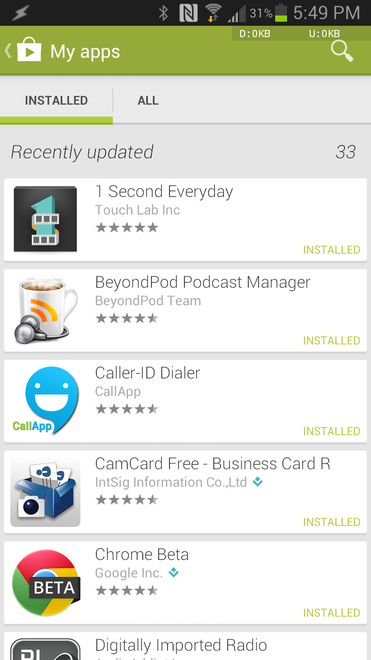
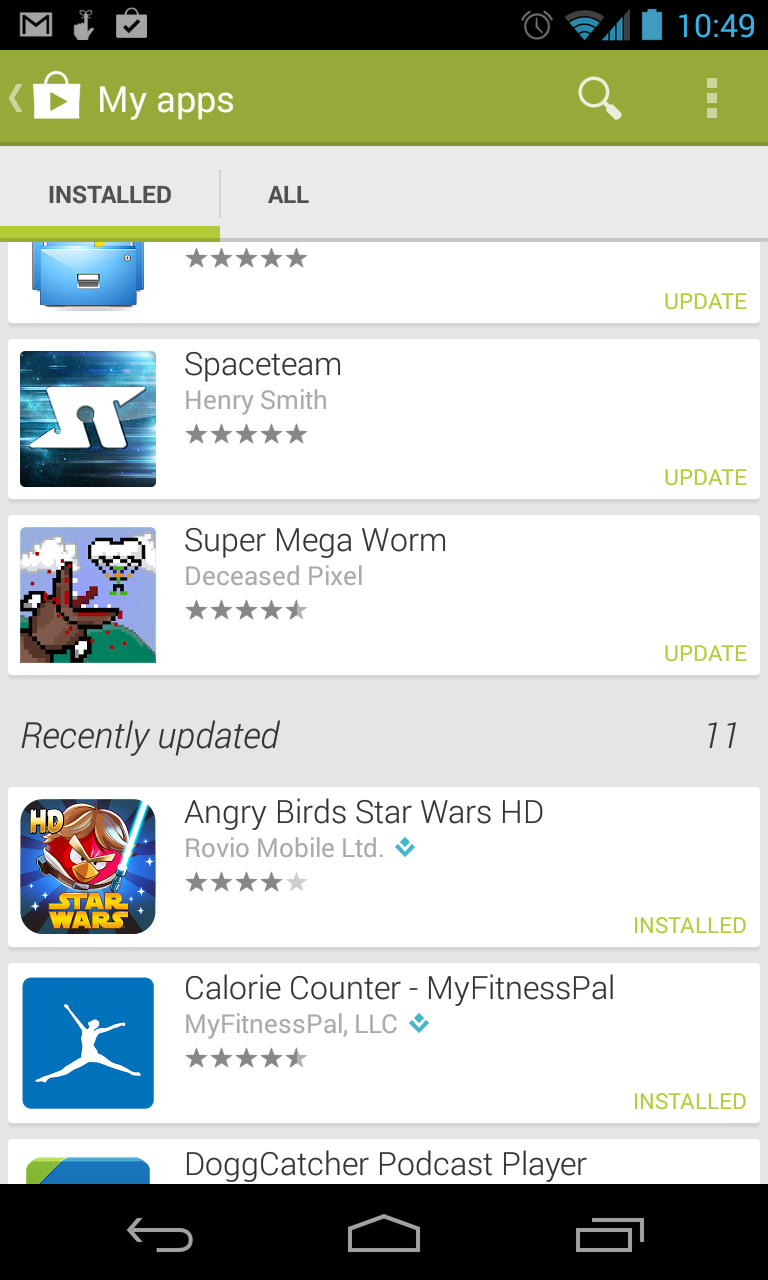
A recent Play Store update to 4.3.10 cleaned up some rough edges and added a few minor features. Although, one of those features was contentious to say the least. The Recently Updated section of the My Apps page listed everything updated for the last week, which could be a long list for users with a lot of apps. It's not seven days anymore, though. Now it's more like three.
nexusae0_thumbnail8 2013-09-16 15.50.01
The Play Store now only considers apps updated in the last three days (give or take a little) to be recent. This means the list will be much shorter, and frankly, fits the definition of "recent" better. Users with a few apps might not have much of anything in the Recently Updated list, though.
We spoke to a Googler who confirmed the limit is currently set at about 3 days, but it's not set in stone. It could go back up or be lowered even more. So how do you feel about this change? Our last poll resulted in a whopping 59% of you saying the amount of time should be shorter.
Is 3 days the right length of time for apps to show up in the "Recently Updated" section of the Play Store?
View Results

Google Just Bought Touch-To-Transfer App Company 'Bump'

You guys remember Bump? It's been a while since we've had a reason to discuss the app, but that changes today; Google just bought the company. For those who may not be familiar with Bump, it's an app that allows files, images, apps, and the like to be transferred from device to device by touching the two together. It was actually pretty popular a few years ago, before NFC and Android Beam (which, honestly, still doesn't work correctly half the time) came along.
1
The thing that makes Bump a more compelling option over NFC, however, is that it's cross platform – as long as both parties have the Bump app installed, it makes transferring information from Android to iOS incredibly easy.
The acquisition was announced today on the Bump blog, though details are basically non-existent at the time. Bump's CEO and co-founder David Lieb penned a short entry that announced the company's joining with Google, but also confirmed that "Bump and Flock will continue to work as they always have for now" (emphasis mine), which alludes to possible changes in the future.
At this point, it's unclear what Google wants with Bump – maybe they'll put the team on fixing the way Android Beam works (read: making it actually work).
Time will tell.
Bump

Sprint Expands 4G LTE Availability To 34 New Markets, Brings Nationwide Coverage Up To 185

Compared to Verizon and AT&T, Sprint's network leaves much to be desired in terms of both data speeds and coverage. This isn't the result of a lack of effort, though, as the Kansas-based company has steadily rolled out LTE to new markets throughout the summer. Today the company has announced the availability of 4G LTE in 34 new markets, bringing the total number from 151 up to 185. Sprint customers throughout the South, Midwest, North Carolina, Oregon, and Pennsylvania should now have a new reason to smile.
Sprint's 34 new markets:
  • Anniston/Oxford, AL
  • Montgomery, AL
  • Macon, GA
  • Alexandria, LA
  • Houma/Bayou Cane/Thibodaux, LA    
  • Lake Charles, LA
  • Ruston, LA
  • Allegan, MI
  • Bay City, MI
  • Monroe, MI
  • Greenville, MS
  • Kinston, NC
  • Lumberton, NC
  • Lawton, OK
  • Muskogee, OK
  • Enid, OK
  • Oklahoma City, OK
  • Stillwater, OK
  • Salem, OR
  • Bedford, PA
  • Juniata and Mifflin counties, PA
  • Amarillo, TX
  • Beaumont/Port Arthur, TX
  • Corpus Christi, TX
  • Del Rio, TX
  • Longview, TX
  • Lufkin, TX
  • Midland, TX
  • San Angelo, TX
  • Victoria, TX
  • Fort Atkinson, WI
  • Marshfield/Wisconsin Rapids, WI
  • Sheboygan, WI
  • Whitewater, WI
The full list of markets with 4G LTE coverage is available here. If your location still isn't up there, I feel your pain. Pittsburgh, too, remains nowhere to be found.
Source: Sprint

[APK/Website Teardown] Next Up For Android Device Manager: Remote Password Changing And Device Locking

When Google launched the Android Device Manager in early August, I applauded the initiative because we finally got a much-needed security solution that was built into every Android devices that ships with Google's services. Rather, it was a good start, since the functionality was so limited: location, remote wipe, and alarm.
For the last two days, I've been digging around the new Google Play Services APK 3.2.64 that started rolling out to Android devices everywhere. If you remember, Google Play Services is the company's secret weapon to combat lack of device updates, as Google can push new functionality to everyone without the need for OS patches. Think of it as a collection of services and libraries that other apps can use.
Last time, such an update allowed us to detect the advent of the Android Device Manager four days early - the APK was detected around August 3rd while the Device Manager was launched on August 7th. This time, I suspect the same thing will happen, and we're on the verge of seeing a new much-needed feature: remote password changing and device locking.
After finding the changes in the APK, I switched my attention to the Android Device Manager's site and was able to dig up the messaging for the new functionality. Furthermore, I was able to roughly figure out the look for the new prompt. I'll start with that:
wm_9-15-2013-5-20-16-PM
This makes the Device Manager instantly 100% more useful. Before, if your device was stolen, all you could do was attempt to track it or wipe all the data - there was no middle ground. Remote locking with a new password is the missing command you can issue immediately, while attempting to figure out exactly what happened. It would suck to wipe your device and then find out that your significant other borrowed it, wouldn't it? But at the same time, it's an added peace of mind to have while scrambling to collect your thoughts.
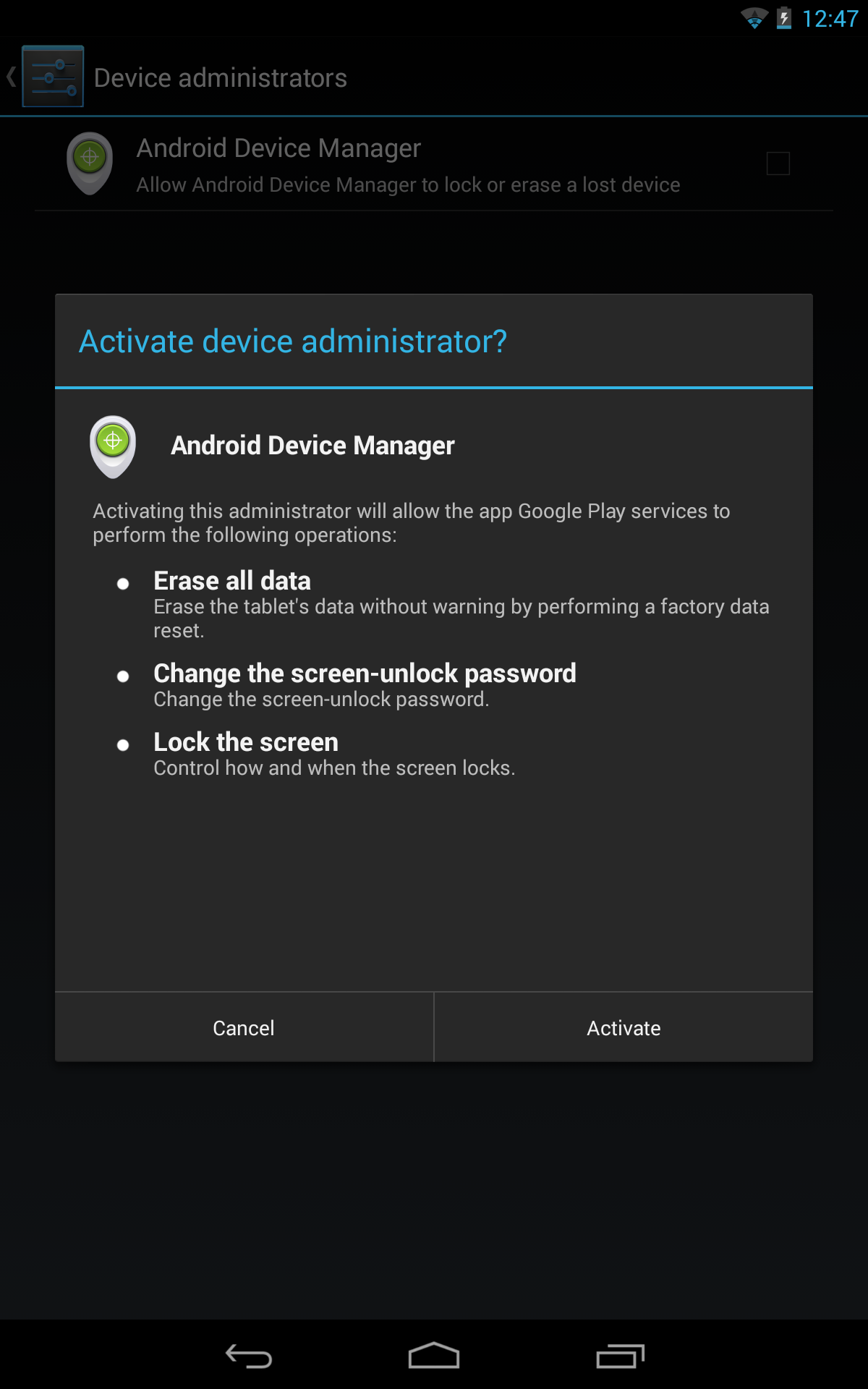
Oh, and you won't have to do anything to the Device Administrator functionality since, as we saw when Android Device Manager was launched, it already requested access to remote device locking and password resets:
Screenshot_2013-08-03-12-47-26 Screenshot_2013-08-03-12-47-19

APK/Website teardown

Here are some instances of the new locking functionality in the APK and the website.
These strings gained the "lock" parts in Google Play Services 3.2.64:
<string name="mdm_reminder_notification_text">Set up remote lock and factory reset</string>
<string name="mdm_settings_wipe_title">Allow remote lock and factory reset</string>
Under MdmDispatcherService, we now have new code that fires the lockNow() and resetPassword() functions, as long as the new password satisfies the password policies on the device (min number of characters, symbols, numbers, upper case letters, etc). Otherwise, an error is returned and the minimum requirements listed so you can adjust the new password accordingly.
if(!((DevicePolicyManager)dpm).resetPassword(str, 0)) {
  // figure out what failed
} else {
  ((DevicePolicyManager)dpm).lockNow();
}
Some code from the website:
Yj="We could not lock your device. Please try again."
Zj="We successfully reset your password and locked your device."
ak="We successfully sent a lock request to your device."
df='<div class="password-req"><div class="req-preamble">Your new password was not strong enough.  Your device has the following password requirements:</div><ul class="password-req-list">'
ef='<div class="pwd-dialog-container"><div class="pwd-dialog-text">Your device will be locked with a new password. You should reset this password after your device is found. Do not reuse your Google Account password.</div><input class="dialog-input" id="pwd-dialog-in1" name="pwd-dialog-in1" type="password" placeholder="Enter new password"><input class="dialog-input" id="pwd-dialog-in2" name="pwd-dialog-in2" type="password" placeholder="Confirm password"><div id="pwd-error" style="display: none;"><div id="pwd-error-text"></div></div></div>'
I just love when all the pieces come together. I fully expect Google to announce and launch remote password changing and device locking as early as tomorrow or sometime later in the week.

APK Download

Google Play Services updates roll out silently, so chances are you already have this update. If you don't and want to download the new Google Play Services APK 3.2.64 (the previous version was 3.2.25), you can do so below:
Google Play Services
Download Google Play Services from Google Play
QR code for https://play.google.com/store/apps/details?id=com.google.android.gms
500,000,000+ downloads
166101 ratings (3.3 avg)

 
Design by Free WordPress Themes | Bloggerized by Lasantha - Premium Blogger Themes | cheap international calls